Where Can You Send Invoices for Free?
Managing client billing is one of the most critical parts of running a business, freelancing, or offering independent services. However, costly subscription fees and complex accounting tools often get in the way of simply getting paid for your hard work.
The good news is that you don't need expensive enterprise software to maintain professional billing operations. Creating and sending invoices without recurring overhead is completely achievable—if you choose the right approach for your operational needs.
Introducing NeuraLock Invoices
NeuraLock Invoices was engineered specifically to eliminate administrative bloat and aggressive subscription paywalls. Designed with operational simplicity at its core, NeuraLock gives freelancers, contractors, and growing small businesses full control over their billing workflows.
- Generous Free Access: Issue and manage invoices without hidden per-invoice transaction markups.
- Streamlined Interface: Turn 10-minute invoicing chores into just a few clicks.
- Client & Ledger Management: Keep records organized in an easy-to-read, central dashboard.
How to Create and Send Invoices with NeuraLock
- Sign Up or Log In: Click the login button in the top navigation bar to access your dashboard.
-
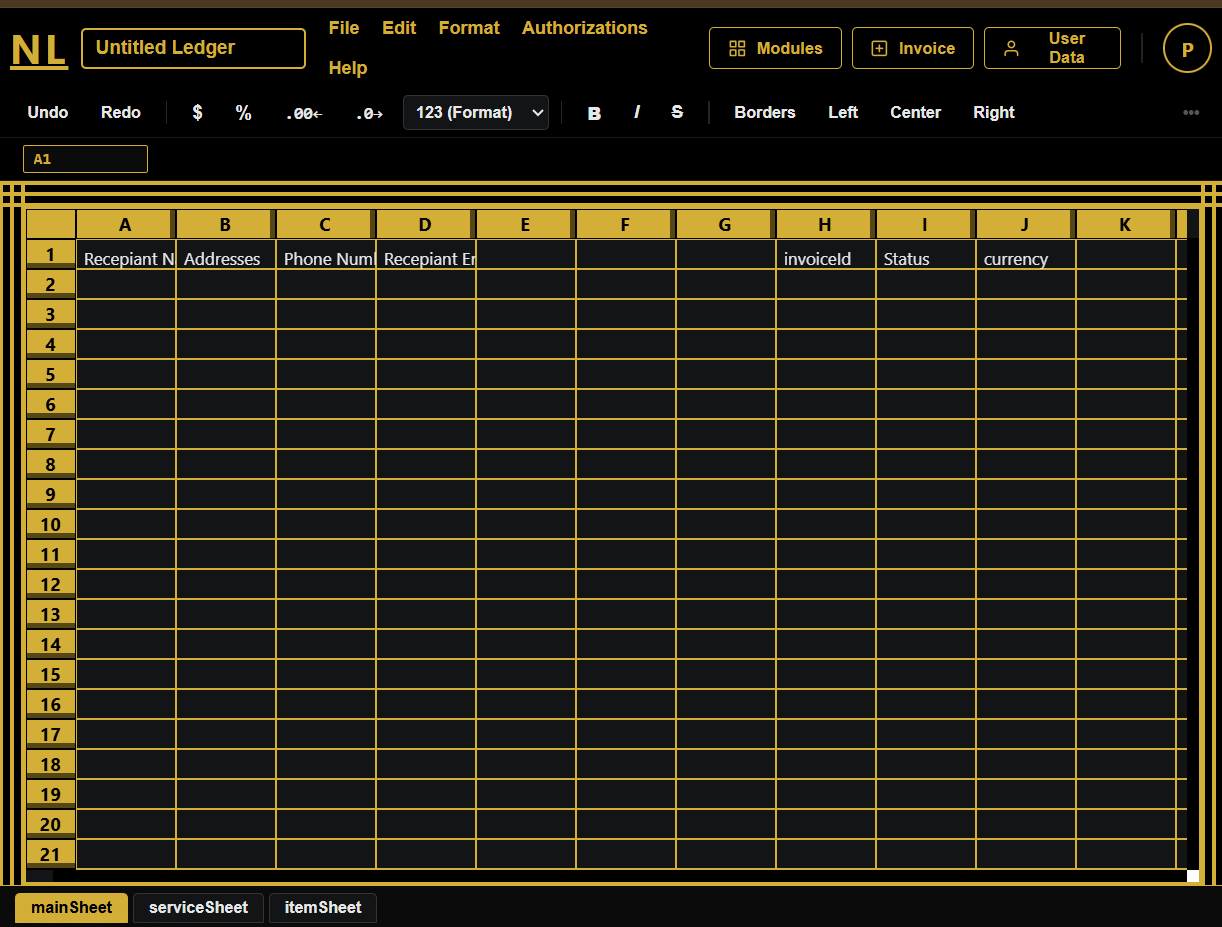
Open the Ledger: Navigate to the Open Ledger view to access your active clients and billings.
-
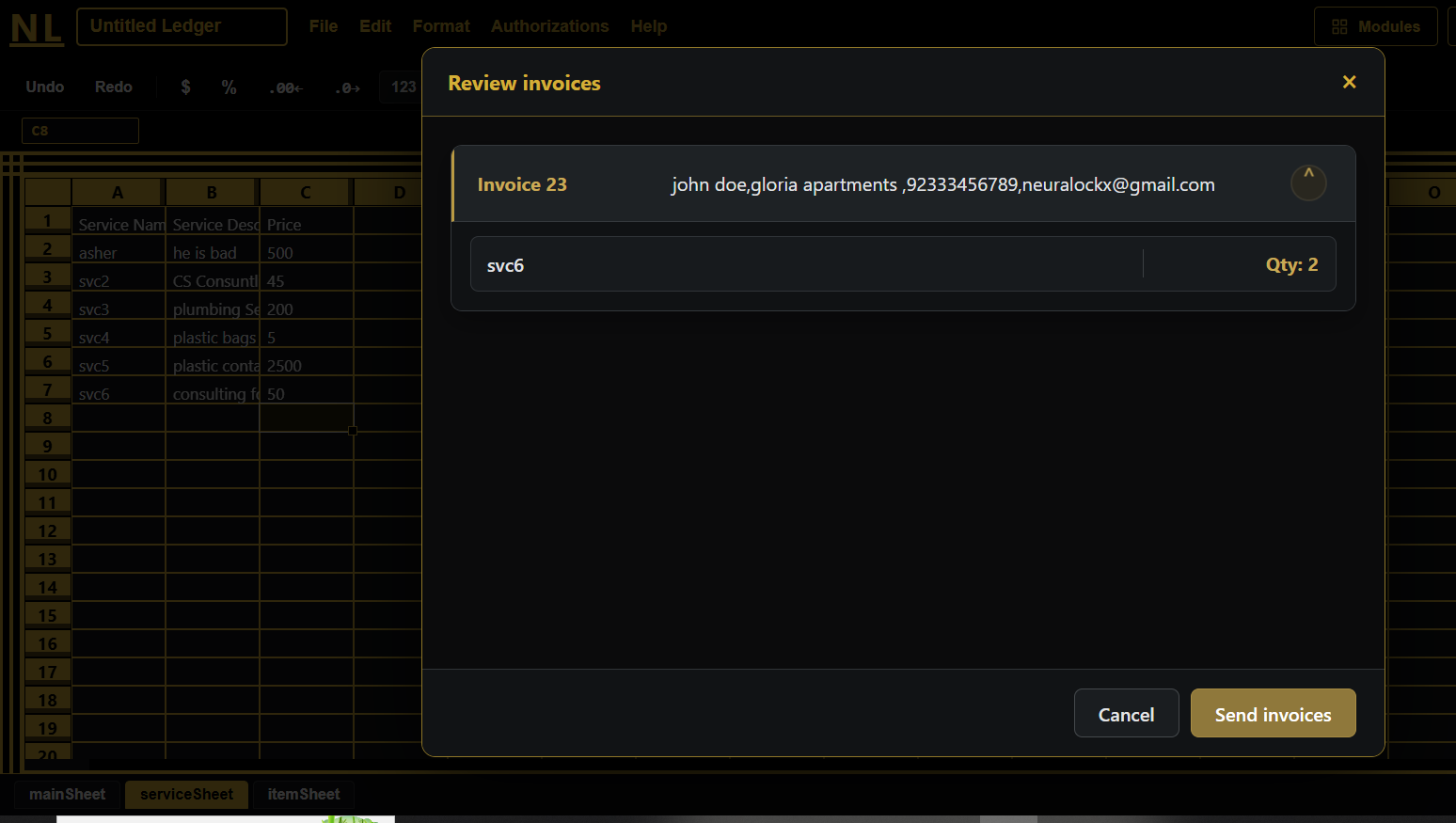
Generate & Send: Fill in the line items, check the automated totals, and issue your invoice straight to your client.
Frequently Asked Questions
Are there any hidden costs or per-invoice fees?
No. NeuraLock provides straightforward invoicing functionality designed to keep billing simple as your client list grows.
Can I export or download my invoices as PDFs?
Yes, you can instantly export any generated invoice to a clean, professional PDF file suitable for email attachment or printing.
Do my clients need a NeuraLock account to pay or view invoices?
No. Your clients receive direct invoice access, allowing them to review and download statements without needing to create an account.