Module 01
Base Invoicing
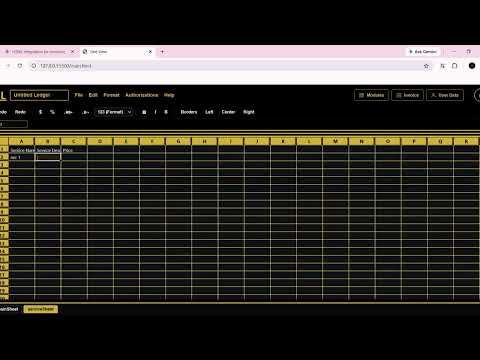
This module is the starting module. It contains just two sheets: service sheet and main sheet.
In the main sheet to send an invoice you need to input the correct values into their respective columns.
For example, if you want to send an invoice, you put the recipient's email in the column where the first row or header is marked "email".
You need to input all essential information such as recipient name, recipient phone, recipient address, and recipient email.
In the base module you also need to input the service name into the service column and right beside it input a number indicating how many items you are invoicing for.
The service sheet holds all data about what you sell, such as description, name/code, and price.
In the service column you need to set the exact name/code declared in the service sheet.
 ▶
Module 02
Multiple Services per Invoice
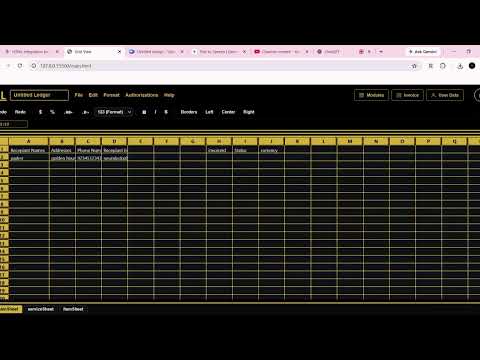
This module adds the item sheet. You will notice that your service columns and quantity column disappear after it is activated.
After activating this module, you will need to write your items in the item sheet. In the first column or index, put the row number of the row in the main sheet where you wrote all essential data for that invoice. Then add the service name/code and quantity after it, and you are ready to send invoices.
 ▶
Module 03
Multi Currency Invoices
This allows you to change your base invoicing currency, or set the currency you want all or specific clients to receive.
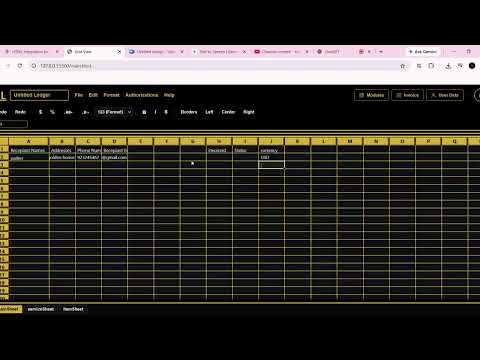
In the main sheet, you get an additional column called currency. Input the currency code of the currency you want your client to receive the invoice in (for example, "USD" for US Dollars or "EUR" for Euros).
If you want all clients to receive invoices in the same currency, you can update client currency in user data, or change your default currency in user data settings.
 ▶